Statistics and logs
Read how often each firewall rule matched, turn on logging for a rule, and read the log records of matching packets per host or per virtual machine.
Every rule counts the packets that match it, and a rule with logging turned on also writes a record for matching packets. Counters need the privilege to read the firewall; log records need the privilege to read logs, and without it the tab Log records is not shown.
In the console
On the home page, select Firewall and open the tab Statistics. A provider administrator can first choose a tenant under Scope.
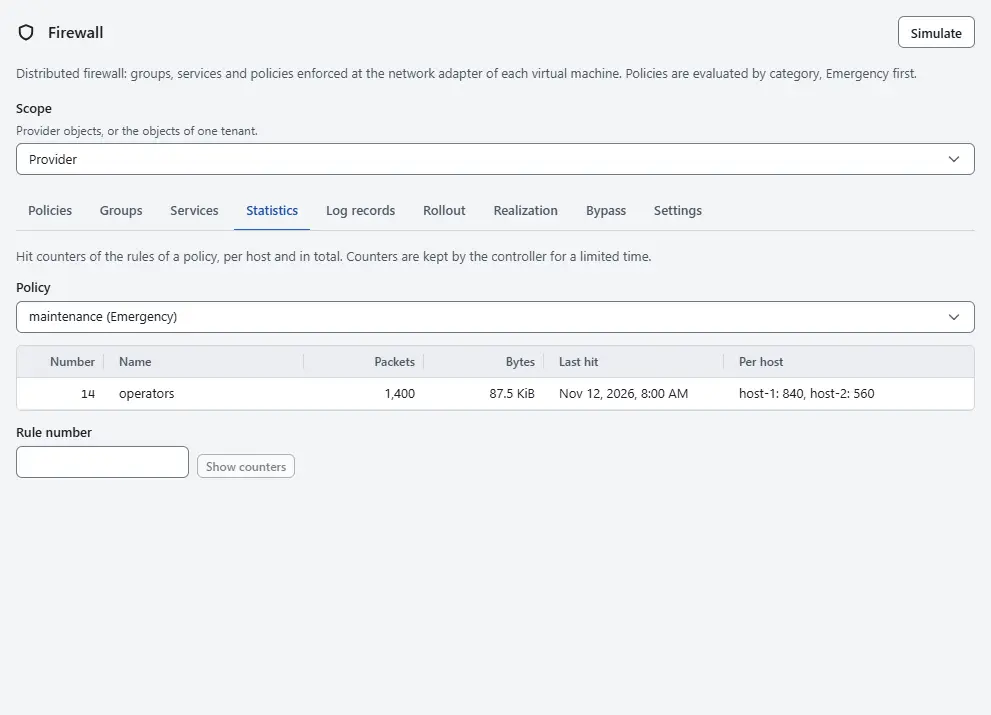
- Choose a policy under Policy. The table lists its rules with the Number, the Name, the Packets, the Bytes, the Last hit and the packets Per host. A rule that never matched shows Never. A rule that applies only to ports of overlay segments shows Not counted; see Firewall on OVN networks.
- To read one rule by number, enter the Rule number below the table and select Show counters. The result gives the packets and bytes in total and per host.
- To write log records for a rule, open the tab Policies, expand the policy of the rule, select Edit on the rule, switch on Log matches and select Keep rule. Then publish the change as described in Rules and policies.
Open the tab Log records. The records of all hosts are listed, newest first.
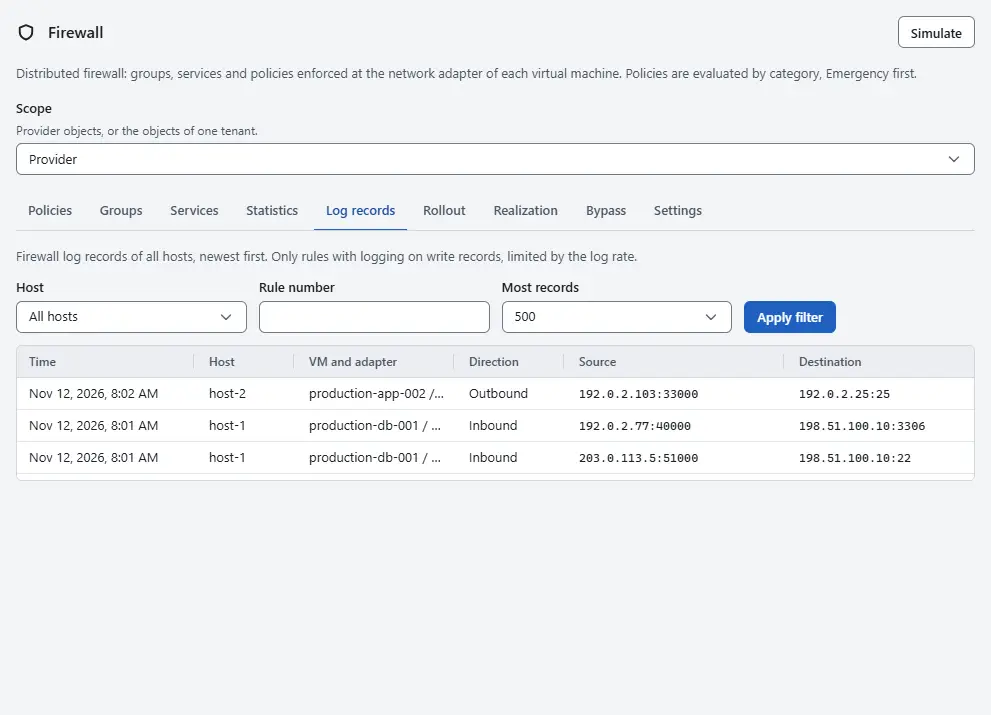
- To narrow the list, choose a host under Host, enter a Rule number, choose the Most records (100, 500, 1000 or 5000) and select Apply filter.
- Read a record: the Time, the Host, the VM and adapter that the packet belongs to, the Direction, the Source and Destination with ports, the Protocol, the Rule that matched and the Verdict. The rule shows Default when the default action decided. The badge Monitor marks a packet from an adapter in the mode Monitor: the verdict is what the rules would do, and the packet was forwarded.
- To read the records of one virtual machine, open its tab Firewall. The card Log records lists the latest 200 records of its adapters.


Result
You see how much traffic each rule handles and which packets a logged rule matched. A counter at zero for a long time on an Allow rule shows a rule that nothing uses.
What the counters and records contain
- A counter counts the packets that arrive at the rule in the original direction of a connection. The replies of a stateful connection take a shortcut and are not counted. The hosts report the counters regularly, so the numbers trail the traffic by a short time.
- A rule writes records only when Log matches is on. A stateful Allow rule logs the first packet of a connection. A rule with the action Drop or Reject logs every packet that the log rate lets through.
- The log rate is limited for each host, so that a flood of dropped packets cannot overload it: the setting Log rate per host on the tab Settings holds the number of packets per second, 100 by default. Under a flood the log is therefore a sample, and the counters stay exact.
- The controller keeps the records of the last 30 days and at most 50,000 records for all hosts. It keeps a counter for 400 days after the last hit. After a restart of the controller, the last 30 seconds can be missing.
Automation
With the CLI
kyvernon firewall stats --policy fwpolicy-3
kyvernon firewall stats --rule 1042
kyvernon firewall logs --host host-3 --rule 1042 --limit 1000
kyvernon firewall logs --vm vm-7
With the API
GET /v1/firewall/policies/{id}/statsreturns the counters of a policy, andGET /v1/firewall/rules/{number}/statsthose of one rule.GET /v1/firewall/logsreturns the records of all hosts; the query parametershost,ruleandlimitnarrow it.limitis 500 by default and at most 5,000.GET /v1/vms/{id}/firewall/logsreturns the records of one virtual machine.
Related
- Rules and policies
- Effective rules show the counters per adapter.
- Rollout to existing virtual machines uses the monitor report.
- Firewall reference
Version 0.1. Last changed: 2026-11-14