Outbound mail on port 25
How outbound mail on port 25 is blocked per IP pool and unblocked per virtual machine, and where the firewall shows the rule.
Outgoing mail on TCP port 25 is blocked or allowed per IP pool and per address family, and an administrator can unblock it for one virtual machine. The firewall carries out the block as a rule of the provider, so a tenant rule cannot open port 25. Reading the state needs only access to the virtual machine; changing it needs the privilege Network.Config, which a tenant asks the administrator for.
In the console
On the home page, select IP pools, then select the name of a pool.
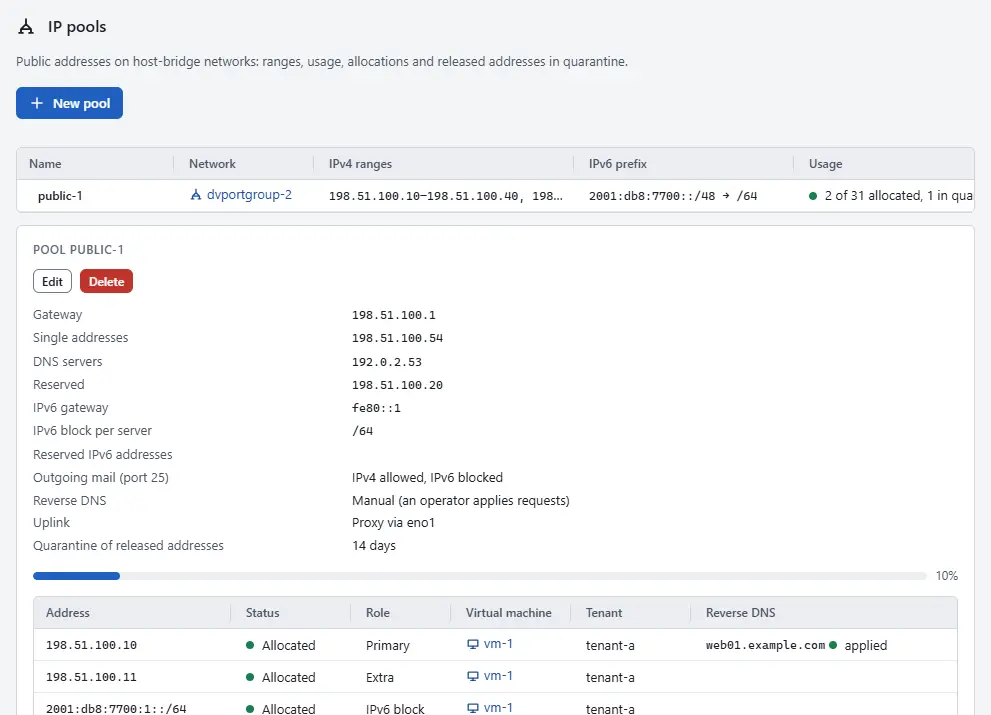
- Read the setting Outgoing mail (port 25). It shows the state per family: IPv4 allowed or blocked, and IPv6 the same. By default IPv4 is allowed and IPv6 is blocked. To change it, select Edit and choose Outgoing mail (port 25) over IPv4 and Outgoing mail (port 25) over IPv6 under Mail, reverse DNS and quarantine, then Save pool, as described in IP pools. That needs the privilege
Network.Configon the network of the pool. In the inventory, select the virtual machine and open the tab Networks.
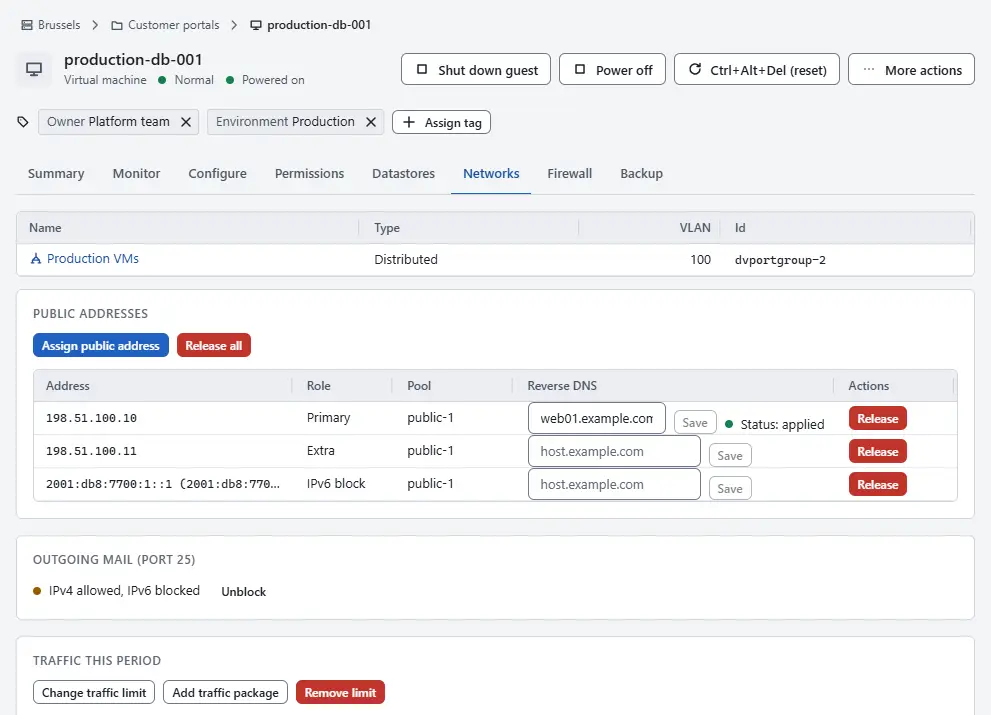
- Read the card Outgoing mail (port 25). It shows the state for this machine, which combines the pool and the switch of the machine. Unblocked for this virtual machine appears when an administrator has unblocked the machine.
- To allow outbound mail for a machine whose mail is legitimate, select Unblock. The console confirms with Outgoing mail setting saved. To return to the setting of the pool, select Block again.
To see the rule itself, open the page Firewall, select the tab Policies and look in the band Infrastructure: the built-in policy
sys:smtpdrops outbound TCP port 25. On the tab Firewall of the virtual machine, the same rule is in the list of effective rules while the machine is blocked.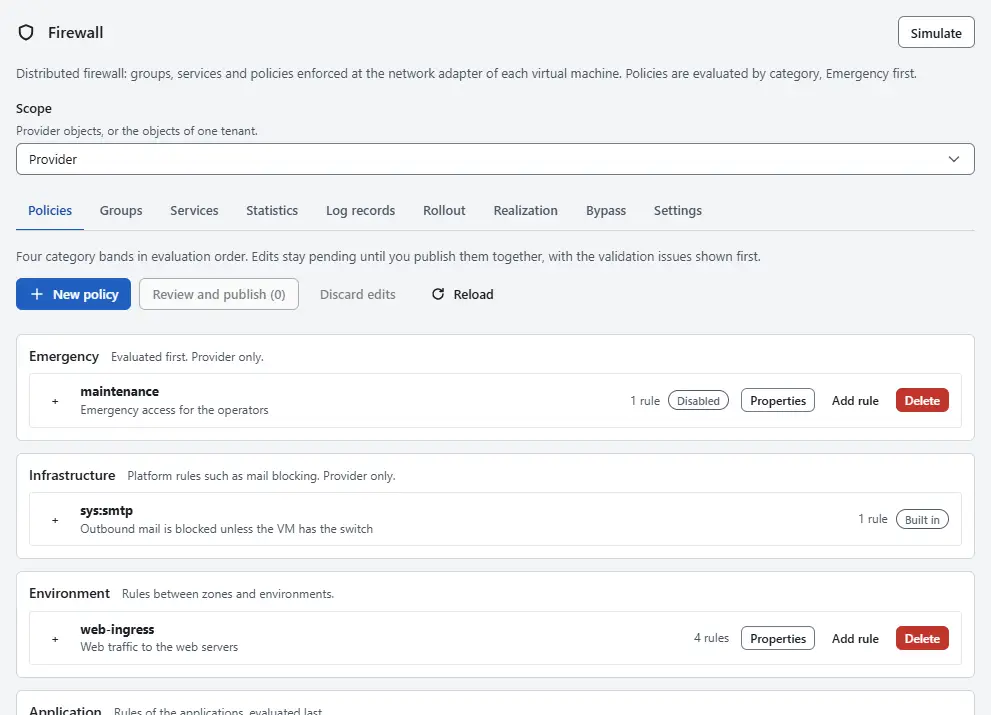


Result
The block applies in every firewall mode, including Off and Monitor. It is evaluated in the category Infrastructure, before the categories of tenants, so no tenant rule can allow port 25. When a machine becomes blocked, its open connections to port 25 end. Every change of the switch is recorded as an event.
The template for mail servers opens the inbound mail ports only. Outbound mail stays under the switch on this page.
Automation
With the CLI
kyvernon addresses smtp vm-42
kyvernon addresses smtp vm-42 --unblock --reason "ticket 1234"
kyvernon addresses smtp vm-42 --block
kyvernon ip-pools create --name public-1 --network network-7 --prefix-len 24 \
  --range 198.51.100.10-198.51.100.200 --smtp-ipv4 blocked --smtp-ipv6 blocked
kyvernon ip-pools update takes the same options and replaces the whole definition of the pool, so repeat every option of the pool when you change one setting.
With the API
GET /v1/vms/{id}/smtp reads the state and PUT /v1/vms/{id}/smtp changes it; the body holds unblocked and an optional reason. The setting of a pool is smtpIpv4 and smtpIpv6 in the body of POST /v1/ip-pools and PUT /v1/ip-pools/{id}, with the values allowed and blocked.
Related
- IP pools lists the pools and their settings.
- Public addresses assigns the addresses of a server.
- Rules and policies shows the policy in the category Infrastructure.
- Firewall concepts explains the order of the categories.
Version 0.1. Last changed: 2026-11-14