Create a virtual machine
Create a virtual machine from a cloud image or with an empty disk in the console wizard, and from the command line or the API.
Creating a virtual machine makes its disk on a datastore, records the machine in a folder of the inventory and, when you ask for it, powers it on. You need a datastore with enough free space. For a machine from an image, the image file is on a datastore too: upload it first, see Files on a datastore. The wizard offers images in the formats qcow2, img, raw and vmdk.
In the console
- In the inventory, select a cluster, a host or a folder of virtual machines and select New virtual machine. The wizard New virtual machine opens with seven steps.
Name and folder: enter the Name and choose the Folder. The name has 1 to 80 characters, without
/,\or%, and is also the host name of the guest.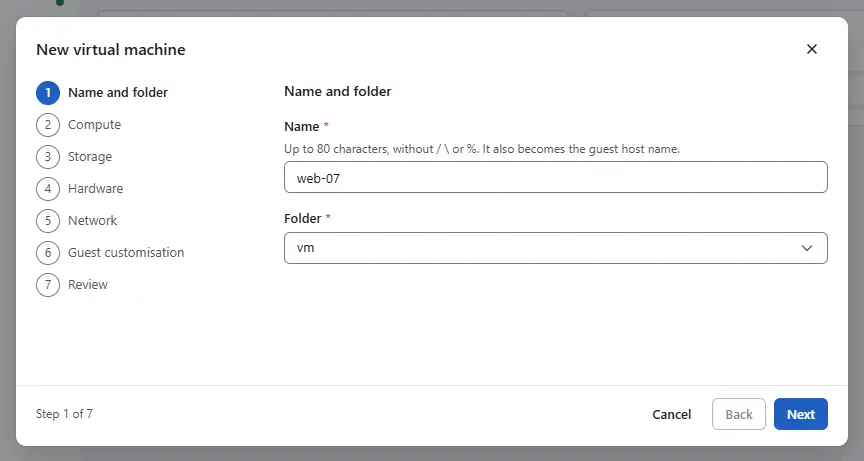
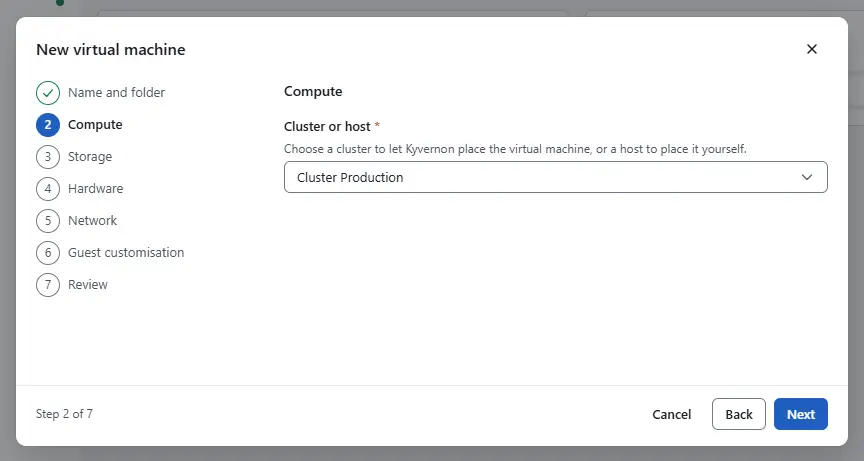
Compute: choose a cluster in Cluster or host to let Kyvernon place the machine, or a host to place it yourself.
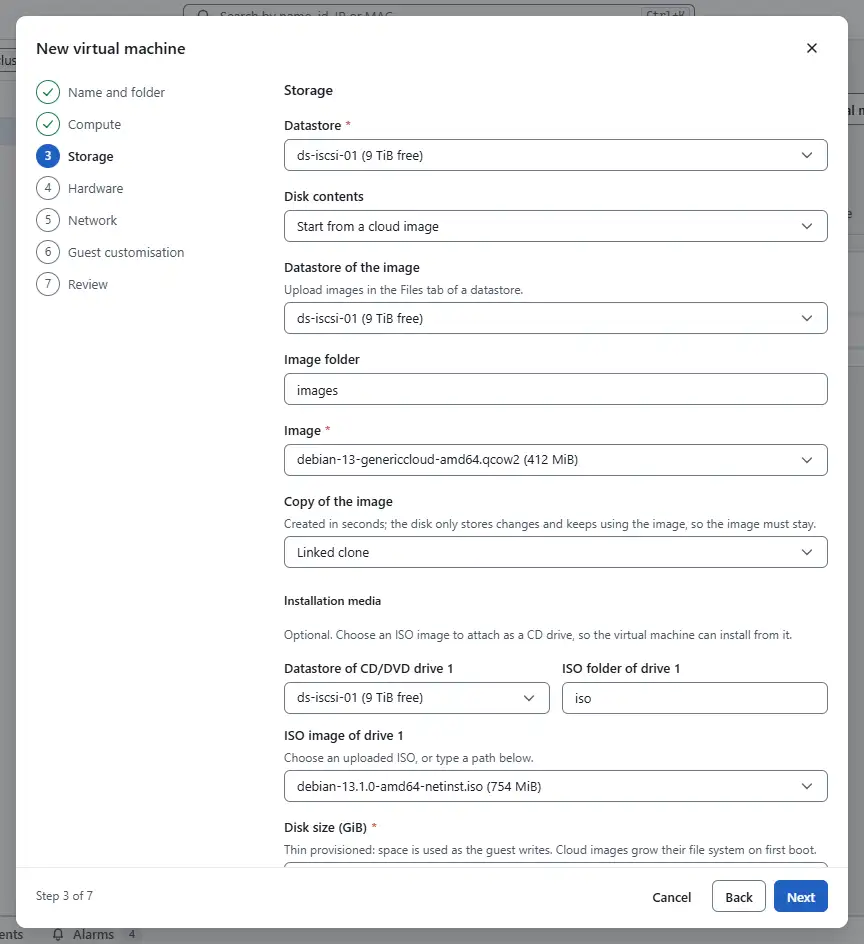
Storage: choose the Datastore and the Disk contents:
- Start from a cloud image copies a cloud image to the new disk. Choose the Datastore of the image, the Image folder and the Image. When the list is empty or cannot be read, type the Image path. Under Copy of the image choose Linked clone (ready in seconds, the image must stay, and the image must be on the datastore of the disk) or Full clone (an independent copy).
- Empty disk creates a blank disk. Under Installation media you can choose an ISO image that is attached as a CD drive, so the machine installs from it.
Set the Disk size (GiB), from 1 to 65,536 GiB. The disk is thin provisioned: it uses space as the guest writes.
Hardware: set the Virtual CPUs (1 to 256), the Memory (GiB) (0.25 to 4,096 GiB) and the Guest operating system. Choose the Firmware, UEFI or BIOS. Secure Boot and Virtual TPM need UEFI, and a virtual TPM needs a host that offers
swtpm.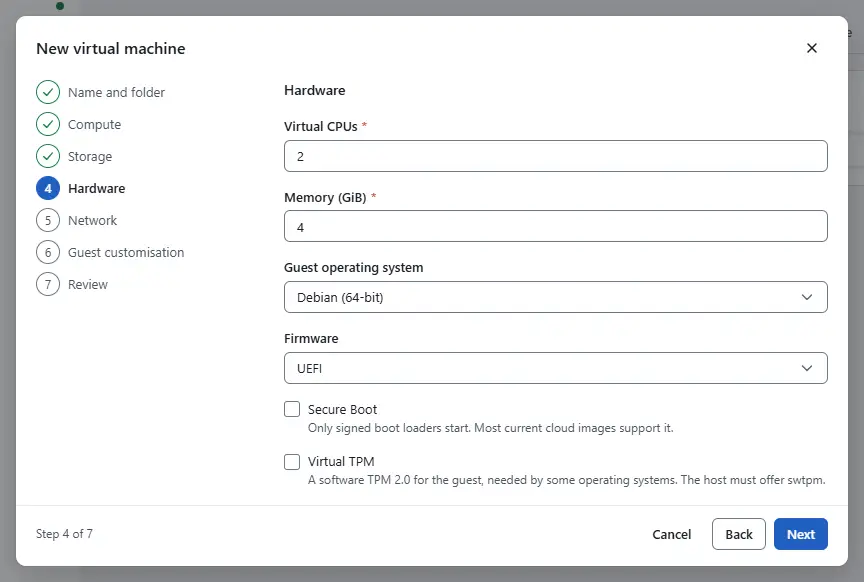
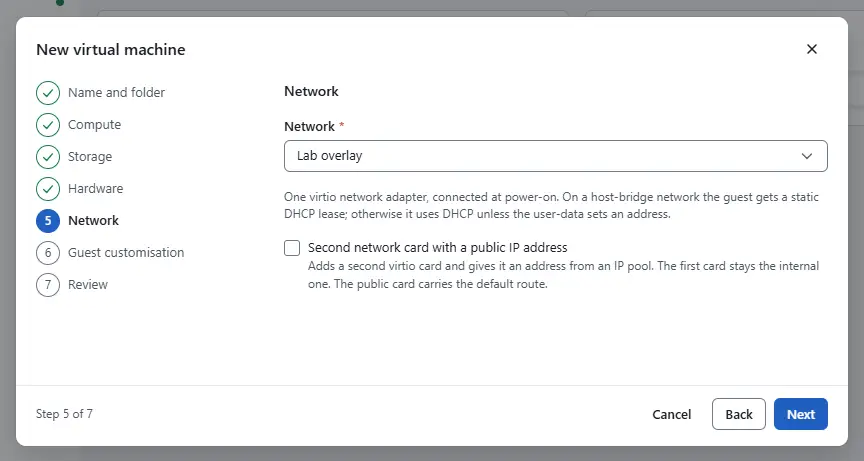
Network: choose the Network of the first network adapter. Second network card with a public IP address adds a second adapter with a public address: choose its network, an IP pool and optionally a free IPv4 address. See Public addresses.
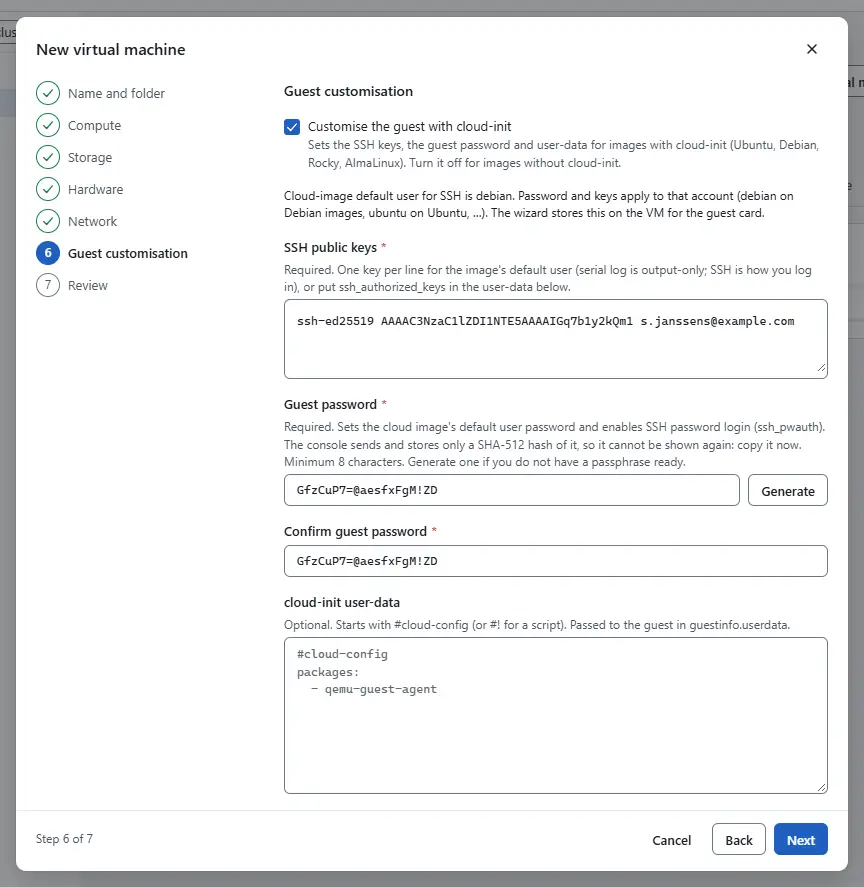
Guest customisation: for images with cloud-init, keep Customise the guest with cloud-init selected, enter the SSH public keys and the Guest password, and optionally your own cloud-init user-data. Both the keys and the password are required while this is selected. See Guest customization. Turn it off for an image without cloud-init and sign in through the console.
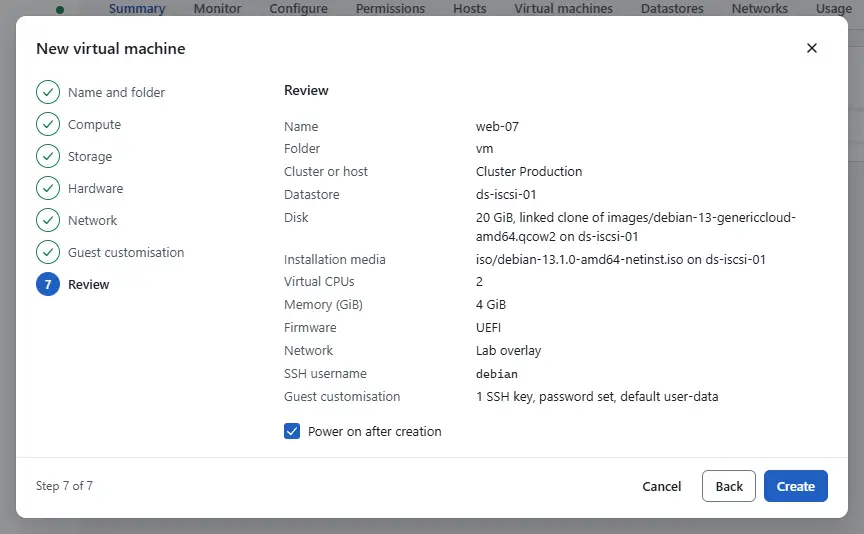
Review: check the summary, keep Power on after creation selected if the machine should start, and select Create.


Closing the wizard asks whether to discard the settings entered so far.
Result
The tasks pane shows the creation and the power-on, and the page of the new machine opens when they end. With a public second adapter the console first creates the machine, then assigns the address and adds the IPv6 block to the guest configuration, and only then powers it on. When the address cannot be assigned, the machine stays powered off and the console shows the reason. Assign an address on the Networks tab and power it on.
First virtual machine walks through the same steps with a Debian cloud image.
Automation
With the CLI
kyvernon vm create takes the folder, a JSON file with the machine and the disk files to make first. The identifiers come from kyvernon inventory: group-v... for the folder, resgroup-... for the resource group, datastore-... and network-.... Write the specification to web-01.json:
{
  "name": "web-01",
  "instance_uuid": "8b5f6d1e-2c3a-4e55-9a6f-0d7e1c2b3a49",
  "resource_pool": "resgroup-1",
  "config": {
    "num_cpus": 2,
    "memory_mib": 4096,
    "guest_id": "debian12_64Guest",
    "firmware": "uefi",
    "disks": [
      {"key": 2000, "capacity_bytes": 21474836480, "datastore": "datastore-1",
       "path": "web-01/web-01.qcow2", "thin": true}
    ],
    "nics": [
      {"key": 4000, "network": "network-1", "mac_address": "52:54:00:12:34:56",
       "model": "virtio", "connected": true}
    ]
  }
}
instance_uuid is a new UUID and mac_address a new address in lower case. Create the machine with its disk copied from an image on the same datastore:
kyvernon vm create --folder <folder> --spec web-01.json --host <host> --wait \
  --create-disk '{"datastore":"datastore-1","path":"web-01/web-01.qcow2",
    "sizeBytes":21474836480,"sourcePath":"images/debian-12-genericcloud-amd64.qcow2"}'
--firmware bios or --firmware efi replaces the firmware of the file. Secure Boot and a virtual TPM need UEFI. Without sourcePath the disk is empty, and "linked": true makes a linked clone of the image. sourceDatastore names the datastore of the image when it differs from the target. Without --host the machine is placed on the first connected host of the cluster of the resource group. It stays powered off until you run kyvernon vm power-on <id>.
With the API
POST /v1/vms takes the same data:
{
  "folderId": "group-v5",
  "host": "host-1",
  "spec": {"name": "web-01", "instance_uuid": "8b5f6d1e-2c3a-4e55-9a6f-0d7e1c2b3a49",
           "resource_pool": "resgroup-1", "config": {"num_cpus": 2, "memory_mib": 4096}},
  "createDisks": [{"datastore": "datastore-1", "path": "web-01/web-01.qcow2",
                   "sizeBytes": 21474836480, "sourcePath": "images/debian-12-genericcloud-amd64.qcow2"}],
  "idempotencyKey": "8b5f6d1e-2c3a-4e55-9a6f-0d7e1c2b3a49"
}
Each entry of createDisks matches a disk of spec.config.disks (same datastore and path). The answer holds the task to follow, and a retry with the same idempotencyKey returns the same task. guestAgent: true adds a cloud-init snippet that installs and starts the guest agent.
Related
Version 0.1. Last changed: 2026-11-14