Tenants
Create tenants in the console, set their quota, manage their users and servers, suspend, resume and close them; the CLI and the API follow.
A tenant is a customer of the provider. Creating one makes its folder and resource group, and its quota limits what its users can order. See Self-service concepts for the objects. The button to create a tenant appears only when you hold Kyvernon.Tenant.Create on the root.
In the console
Open the home page (Home) and select Tenants under Shortcuts.
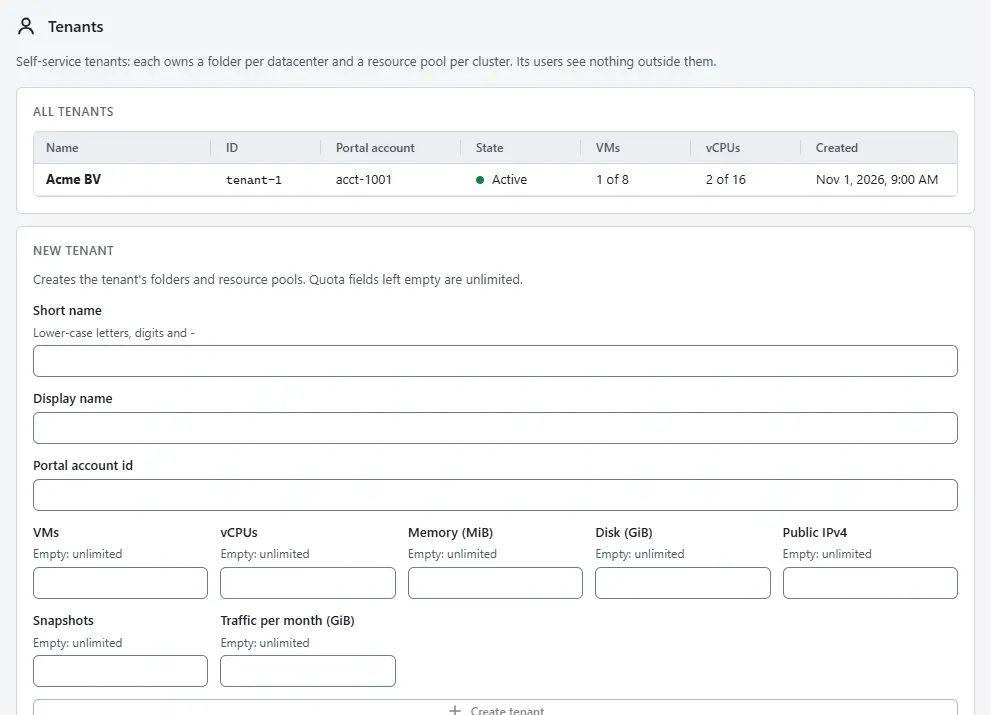
The list All tenants shows the Name, the ID, the Portal account, the State (Active, Suspended or Closed), the use of the quotas VMs and vCPUs, and when the tenant was Created.
To create a tenant, go to the card New tenant. Enter the Short name: lower-case letters, digits and hyphens, at most 63 characters, not starting or ending with a hyphen. Optionally enter a Display name and the Portal account id, the account id in your portal.
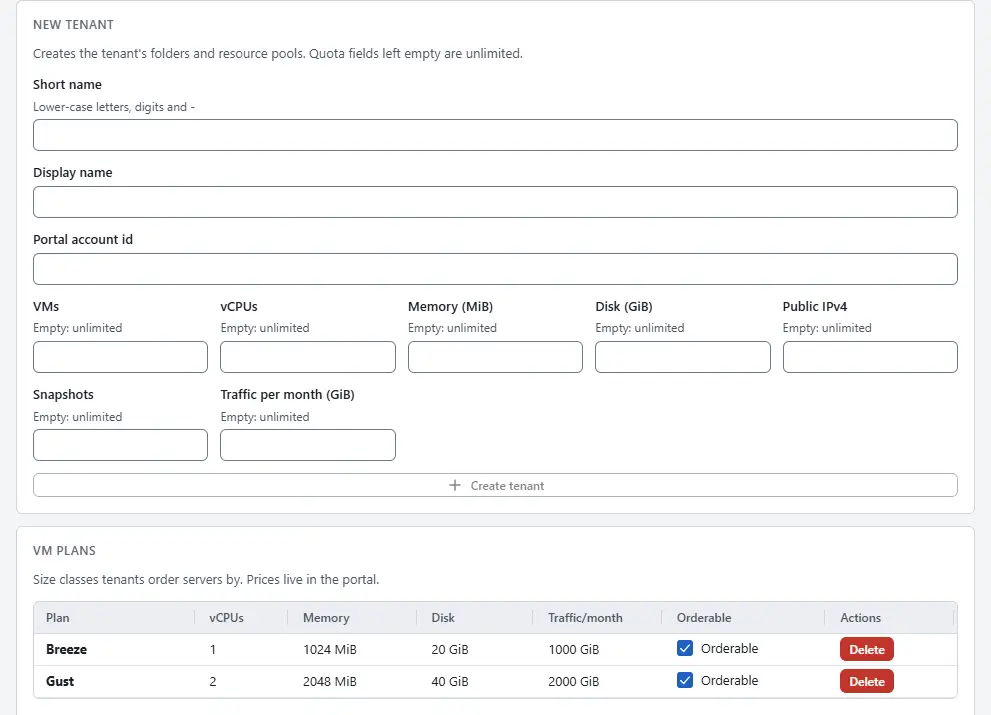
- Fill in the quota fields VMs, vCPUs, Memory (MiB), Disk (GiB), Public IPv4, Snapshots and Traffic per month (GiB). A field left empty is unlimited.
- Select Create tenant. The tenant appears in the list, and Kyvernon creates its folders and resource groups.
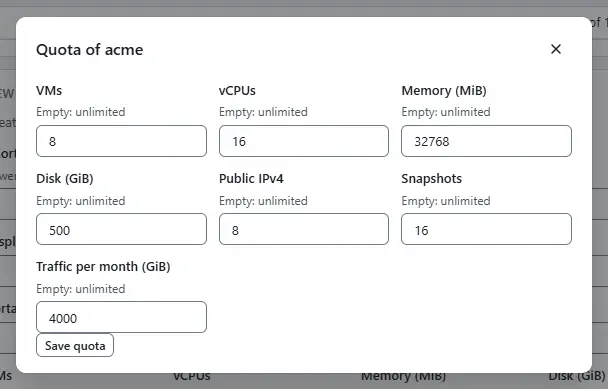
To change a quota later, select Quota in the row of the tenant, edit the fields and select Save quota. The new quota replaces the old one, and an empty field is unlimited.
- To stop a tenant for a while, select Suspend. Its virtual machines shut down and its users become read-only; power-on and the console are refused. Resume starts the virtual machines that ran before.
- To end a tenant, select Close. The dialog asks you to type the name of the tenant. Closing powers the virtual machines off at once and destroys them with their disks after the grace period, and the users can no longer sign in. It cannot be undone.
To manage the accounts of a tenant, select Users in its row. The dialog lists the accounts with their Kind, State, Two-step verification and Last sign-in. Select New user, enter the User name (2 to 63 lower-case letters, digits, dots, dashes or underscores; it cannot change later), a Display name and E-mail, choose the Role (Tenant administrator, Tenant user or Read-only; it is granted on the folders and pools of the tenant only) and enter the Initial password twice, at least 12 characters. Keep Require a new password at first sign-in on so that the person chooses a password at the first sign-in. Switch on Service account for an automation account that signs in with API tokens only. Select Create user. Delete removes an account after you type its name. The screen needs the privilege
Kyvernon.Tenant.ManageUserson the folder of the tenant.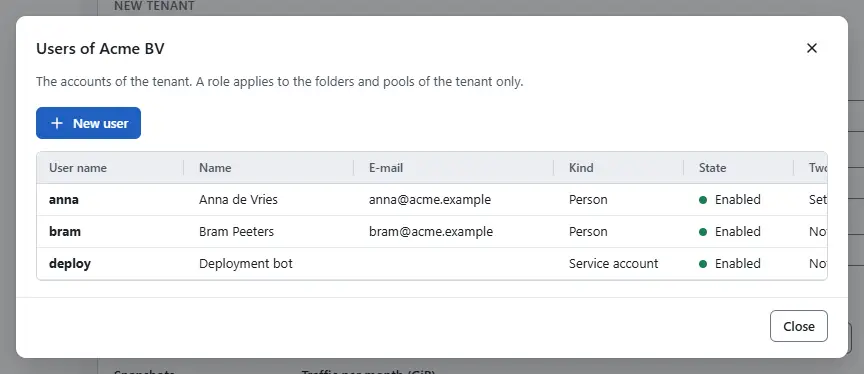
- To order and operate the servers of a tenant, select Servers in its row, as described in Servers.


Suspending, resuming and closing are tasks that take a moment; follow them in the tasks pane, see Tasks.
Result
The tenant is in the list with its state, and its users see and change only what is in its folder and resource group. A request that would take the tenant over its quota fails with error.quota.exceeded; a suspended tenant answers error.tenant.suspended and a closed one error.tenant.closed. See the tenant errors and the quota errors.
A tenant has a billing period for its monthly traffic, and its anchor day is set when the tenant is created through the API. Servers get their public addresses from the IP pool on their network, see IP pools, and a traffic limit from their plan. Deleting a server returns its addresses to the quarantine of the pool. The grace period of a close, 7 days by default, and the time a suspend waits for a guest to shut down, 60 seconds by default, are set in the section [tenancy] of the controller configuration.
Automation
With the CLI
kyvernon tenants create acme --external-ref acct-1001 \
  --quota '{"vms":5,"vcpus":16,"memoryMib":32768}'
kyvernon tenants users acme create alice --role admin
kyvernon tenants quota acme --body '{"vms":10,"vcpus":32}'
kyvernon tenants suspend acme
kyvernon tenants close acme --grace-seconds 604800
kyvernon tenants usage acme --month 2026-11
The password of a new user comes from KYVERNON_PASSWORD or from standard input. The role of a tenant user is admin, user or read-only, and it applies to the folders and resource groups of the tenant only. tenants quota replaces the whole quota; a field you leave out or set to null is unlimited.
With the API
GET /v1/tenants and GET /v1/tenants/{tenant} list and read tenants, and POST /v1/tenants creates one. PUT /v1/tenants/{tenant}/quota sets the quota, POST on .../suspend, .../resume and .../close changes the state, and GET /v1/tenants/{tenant}/usage?month=2026-11 reads a month. The users of a tenant are GET and POST /v1/tenants/{tenant}/users and DELETE /v1/tenants/{tenant}/users/{username}, and their tokens are below .../users/{username}/api-tokens.
Related
- Plans and catalogue
- Servers
- Usage reports the consumption of every tenant.
Version 0.1. Last changed: 2026-11-14