Portal integration
Set up the service principal and API token of a self-service portal in the console, and the webhooks it receives for tenants and servers.
A self-service portal drives Kyvernon as a service principal: an account for a program, with the built-in role Tenant service principal and an API token. This page sets the account up once and subscribes the portal to the events it needs. You need the privileges Kyvernon.Identity.ManageUsers, Authorization.ModifyPermissions and Kyvernon.Webhook.Manage on the root.
In the console
Create the service principal
- Open the User menu at the top right, select Administration, and in the list on the left select Users.
Select Create user. Enter a User name such as
portaland a Display name such asSelf-service portal, and a password; the account does not sign in with it. Tick Service account.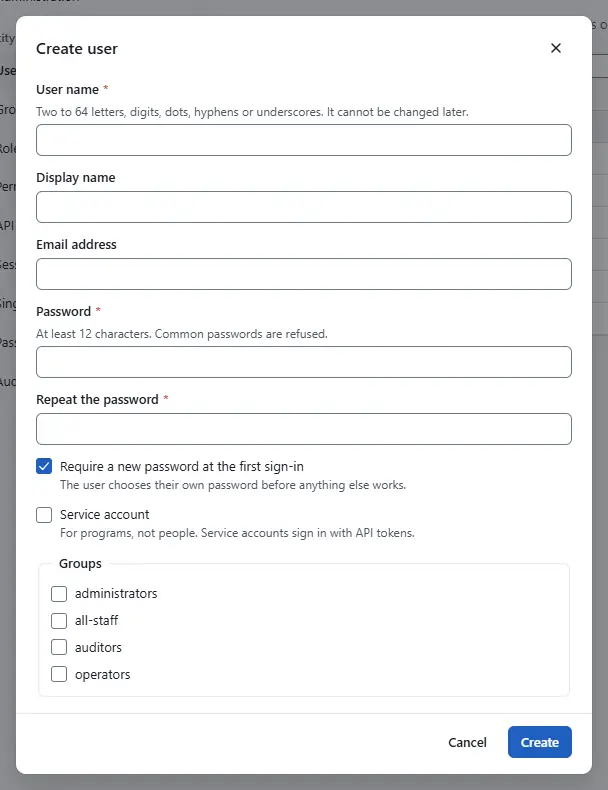
- Select Create.

Give it the role
- In the list on the left, select Permissions, and select the top entry, Management domain, in the tree of objects.
Select Assign a role. Choose the Principal type User, search for
portalas the User or group name, and choose the role Tenant service principal as the Role. Keep Propagate to child objects ticked.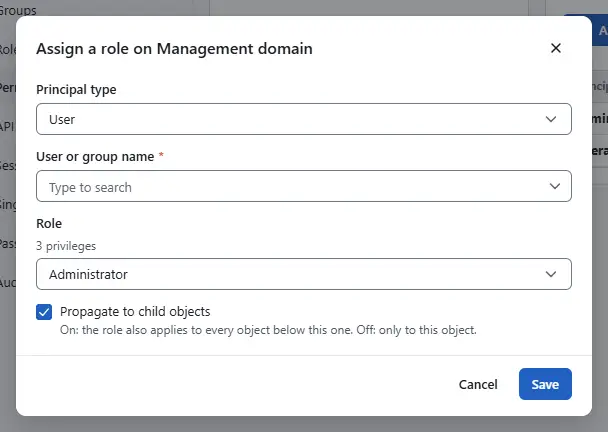
- Select Save.

Create its API token
- In the list on the left, select API tokens, and under Tokens of choose
portal. Select Create token, enter a Name such as
portal-prod, choose a Lifetime and select Create token.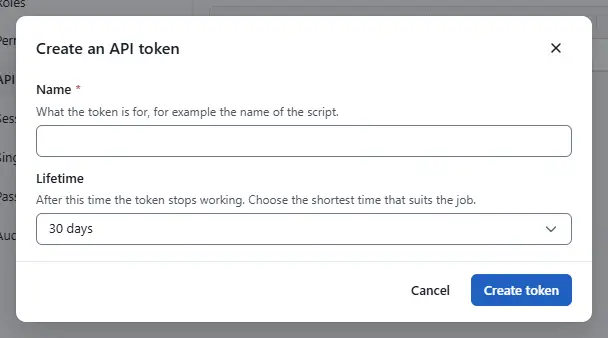
- Select Copy to clipboard, store the secret in the secret manager of the portal and select I have saved the secret. The secret is shown once; see API tokens.

Subscribe the portal to events
- Open the home page (Home), select Webhooks under Shortcuts, and select New webhook.
- Enter the Name, the Address of the portal and a Shared secret of at least 16 characters.
Leave Tenant empty to receive the events of every tenant, or enter the id of one tenant to receive only its events.
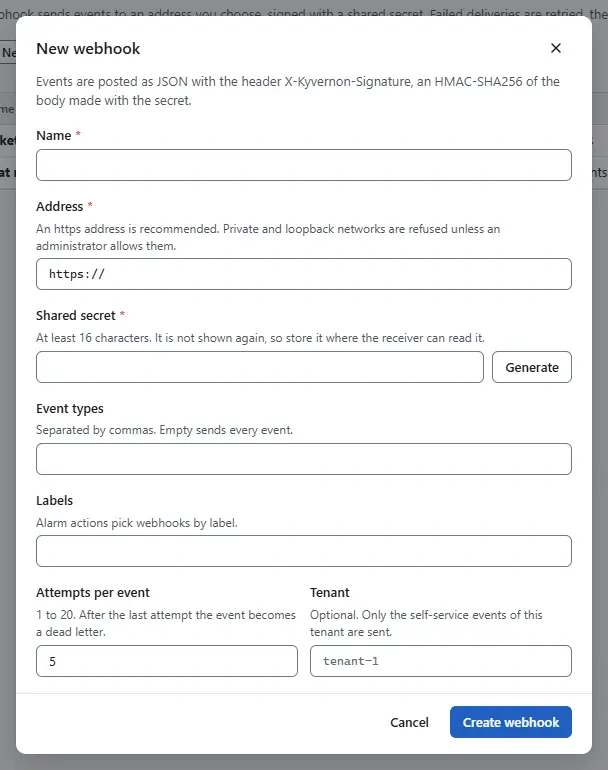
- Select Create webhook, then Send test to check that the portal answers. Details of the subscription are on Webhooks.

Result
The portal calls the API with its token and receives these events, with the CloudEvents type kyvernon.event.<type>: server.created, server.deleted, server.resized, server.power, server.reinstalled, tenant.suspended, tenant.resumed, tenant.closed and quota.exceeded. The field data.attributes carries tenant, tenantName, externalRef, server, plan and, where it applies, action. A subscription with a tenant filter receives only that tenant's events.
Automation
With the CLI
kyvernon users create portal --display-name "Self-service portal"
kyvernon users service-account portal
kyvernon roles list
kyvernon permissions set group-d1 portal --role <role-id>
kyvernon users api-tokens portal create portal-prod
<role-id> is the id of the role Tenant service principal in the output of roles list, and group-d1 is the root folder. The portal then calls the tenant, plan, catalogue and server functions; see Tenants and Servers.
With the API
The same steps are POST /v1/identity/users, PUT /v1/identity/users/{username}/service-account, PUT /v1/identity/permissions and POST /v1/identity/users/{username}/api-tokens, and POST /v1/webhooks for the subscription.
Related
Version 0.1. Last changed: 2026-11-14