Clusters
Create a cluster, add and move hosts, and change its availability, automatic placement and live-migration settings in the console.
A cluster groups hosts. Virtual machines are placed on one of its hosts, and the settings of the cluster apply to all of them. The cluster of a new installation is created at first start from the controller configuration.
More than one host in a cluster needs a licence with the feature cluster. Enabling availability needs the feature ha. Without them the request fails with error.licence.feature_required. See Licence.
In the console
Create a cluster
In the inventory, select the datacenter and select New cluster.
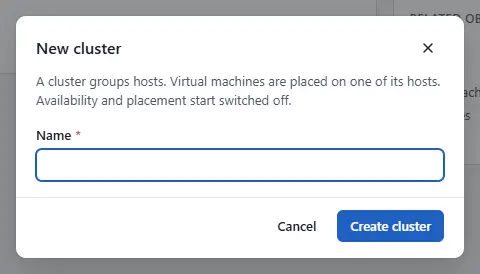
- Enter Name and select Create cluster. Availability and placement start switched off.

Add a host to a cluster
Select the cluster and select Add host. The steps are in Hosts.
Change the settings of a cluster
The settings are availability, automatic placement and the live-migration policy.
Select the cluster. The summary shows Availability as Enabled or Disabled, and Automatic placement as Automatic, Recommendations only or Disabled.
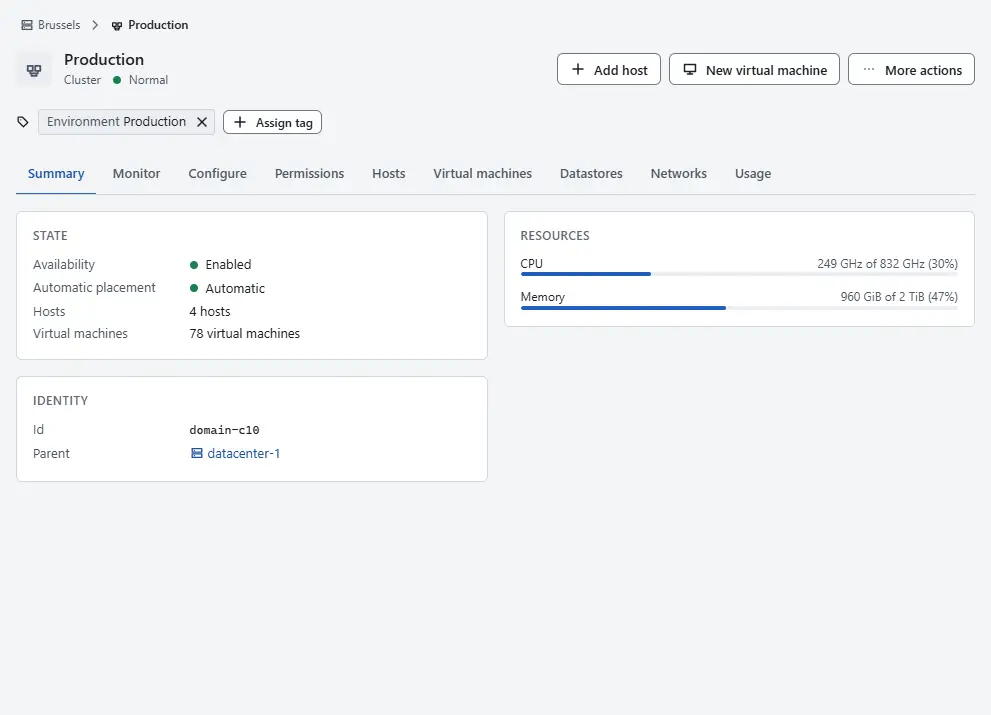
Select More actions, then Edit settings.
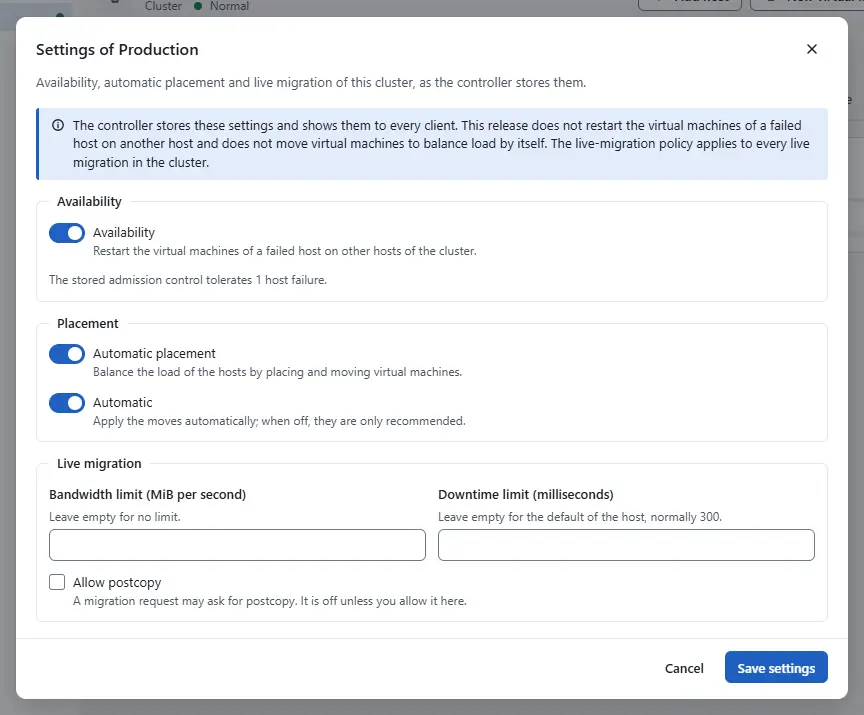
- Under Availability, switch Availability on or off.
- Under Placement, switch Automatic placement on or off. Automatic applies the moves by itself; when it is off, they are only recommended. It is available only when placement is on.
- Under Live migration, set Bandwidth limit (MiB per second), which caps the bandwidth of one live migration (empty: no limit), and Downtime limit (milliseconds), the acceptable downtime of the final step (empty: the default of the host, normally 300 ms). Tick Allow postcopy to let a migration request ask for postcopy; it is off unless you allow it here.
- Select Save settings.


The tab Configure offers the same switches one by one: Enable availability and Disable availability under Availability, Enable automatic placement and Disable automatic placement under Placement.

Move hosts, rename or delete a cluster
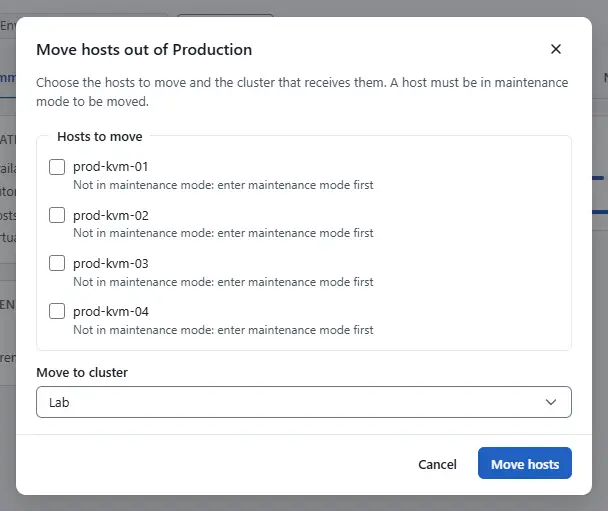
- Select the cluster, then More actions.
To move hosts to another cluster of the datacenter, select Move hosts, tick the hosts under Hosts to move, choose Move to cluster and select Move hosts. A host must be in maintenance mode to be moved: the dialog says Not in maintenance mode: enter maintenance mode first. It needs another cluster in the datacenter.
- To rename the cluster, select Rename cluster.
- To delete it, select Delete cluster and confirm. A cluster must hold no hosts and no virtual machines, and the deletion cannot be undone.

What the settings do now
The settings are stored and shown to every client, and the licence gate applies to them. The controller does not yet restart the virtual machines of a failed host on another host, and it does not yet move virtual machines to balance load: Planned The live-migration policy is applied to every live migration that starts in the cluster.
Result
The cluster shows the new values on its summary and on the tab Configure. The task is in Tasks.
Automation
With the CLI
Only the options you pass change; --replace sets every option you leave out to false or clears it. --max-bandwidth-mib-s caps the bandwidth of one live migration in MiB per second (unset: no cap). --downtime-limit-ms is the acceptable downtime of the final step (unset: the default of the host, normally 300 ms). --allow-postcopy lets a migration request ask for postcopy.
kyvernon cluster reconfigure domain-c10 --ha-enabled true --scheduler-enabled true \
  --scheduler-automatic false --wait
kyvernon cluster reconfigure domain-c10 --max-bandwidth-mib-s 500 --downtime-limit-ms 300 --wait
Add a host to a cluster and list the clusters:
kyvernon cluster add-host domain-c10 --name host-02.example.com --wait
kyvernon inventory kind cluster
With the API
POST /v1/clusters/{id}/reconfigure with the body fields haEnabled, schedulerEnabled, schedulerAutomatic, maxBandwidthMibS, downtimeLimitMs and allowPostcopy. The answer is the task. A body with "modify": false replaces the fields you leave out, as --replace does. POST /v1/clusters/{id}/hosts adds a host.
Related
Version 0.1. Last changed: 2026-11-14