Capacity
Read how much CPU, memory and datastore space is in use, and which limits make Kyvernon refuse a request before a host or the controller runs out.
Kyvernon checks capacity when a virtual machine is created, changed or powered on, and refuses a request that would not fit. This page shows where the console shows the figures, which limits refuse a request and what to do when a host is full.
In the console
Read the figures
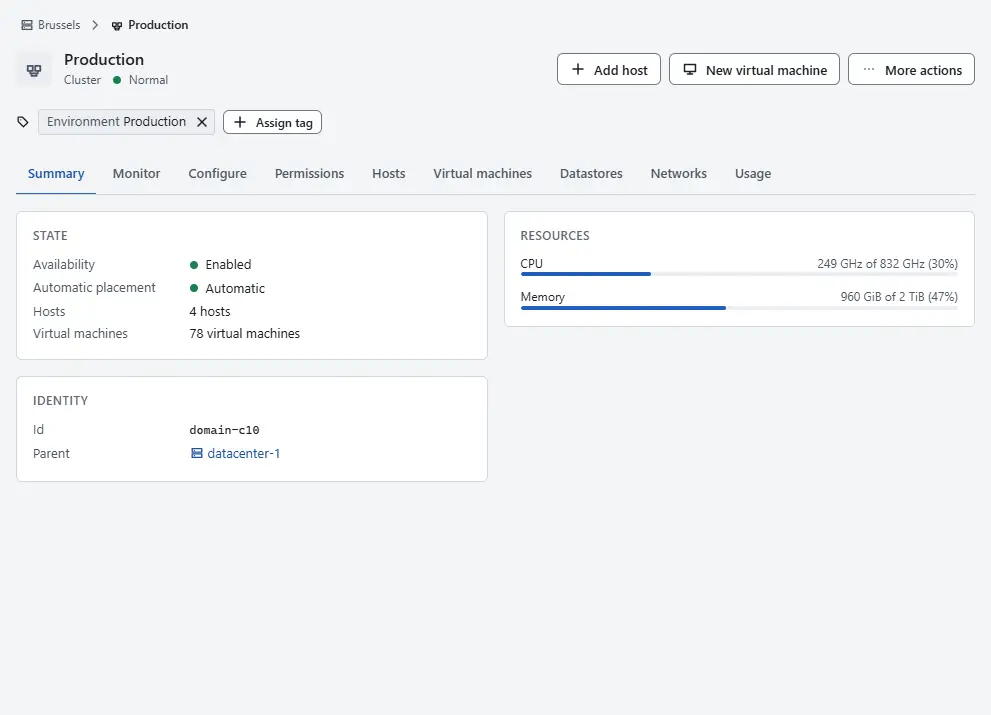
In the inventory, select a cluster. The card Resources on the summary shows CPU and Memory as used of total, added up over its hosts.
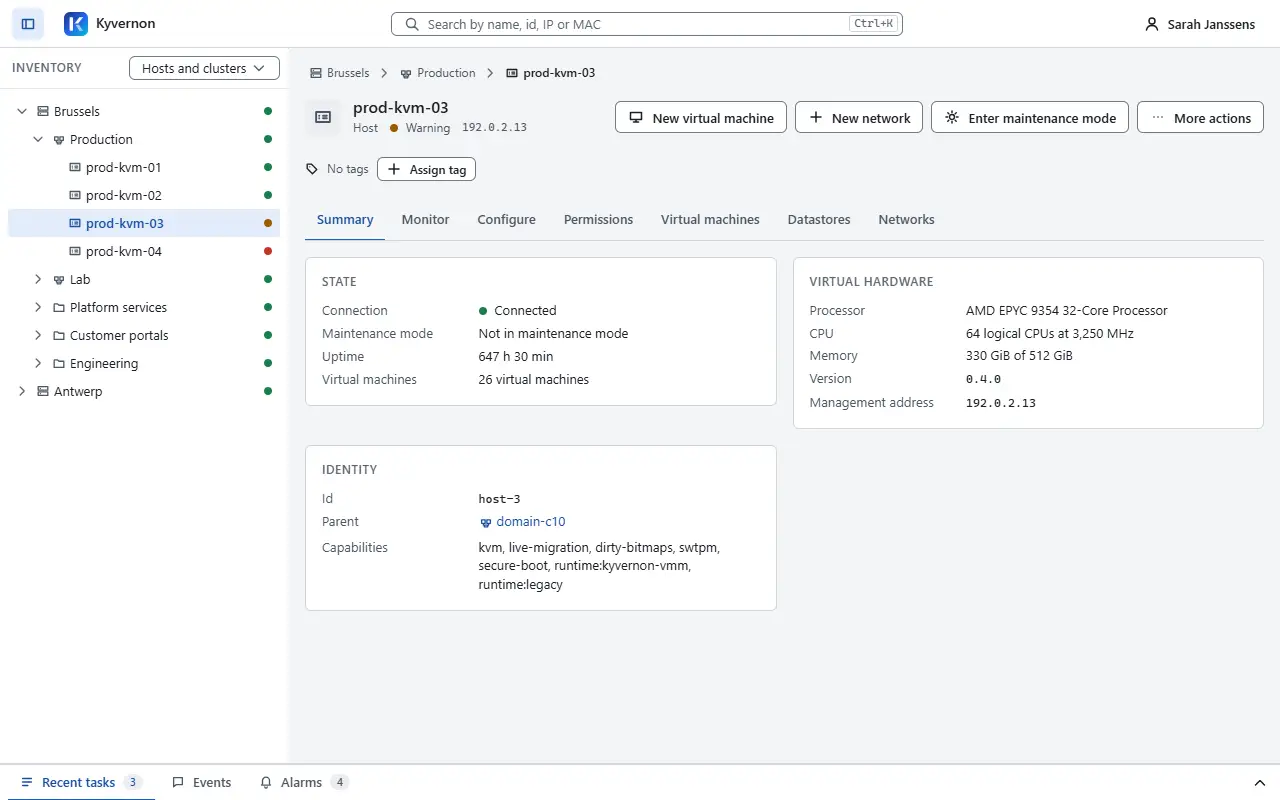
Select a host. On the summary, the card Virtual hardware shows its processor (Processor), its logical CPUs (N logical CPUs at ... MHz) and Memory as used of total. The card State shows Uptime.
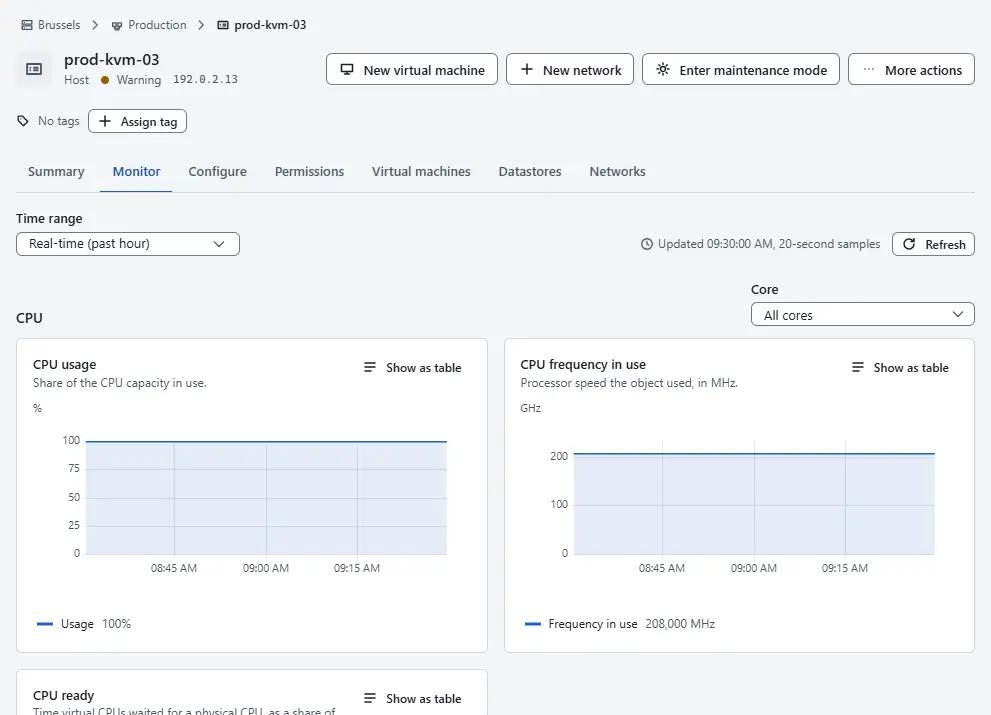
Open the tab Monitor of the host for the performance charts over time.
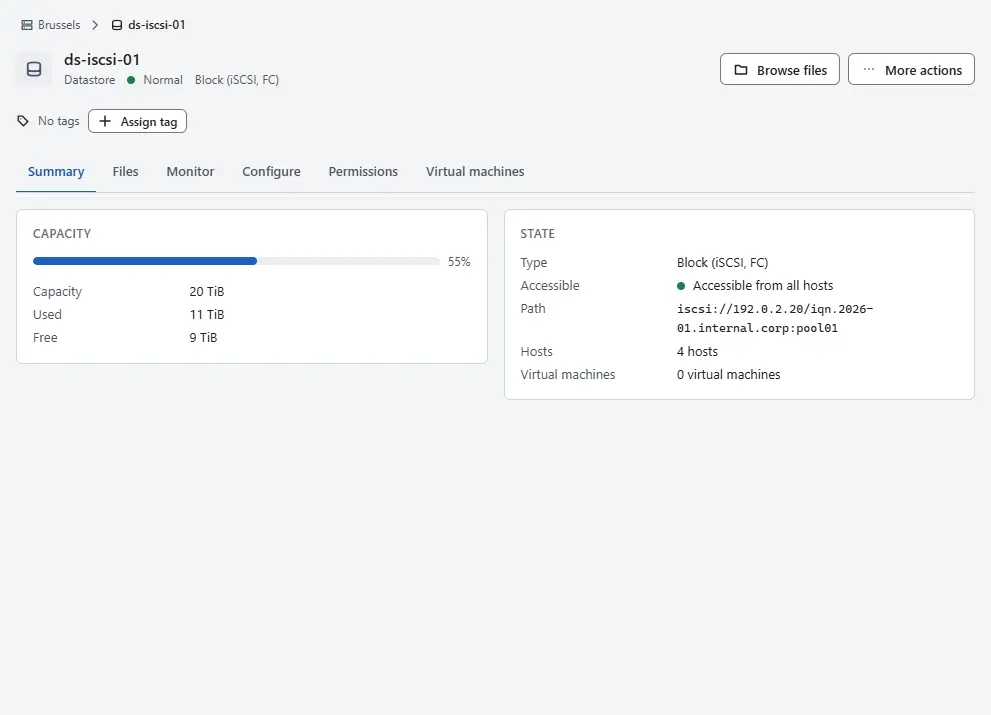
Select a datastore. The card Capacity shows Capacity, Used and Free. The bar above 75 per cent of use takes a warning tone, and above 90 per cent a danger tone.
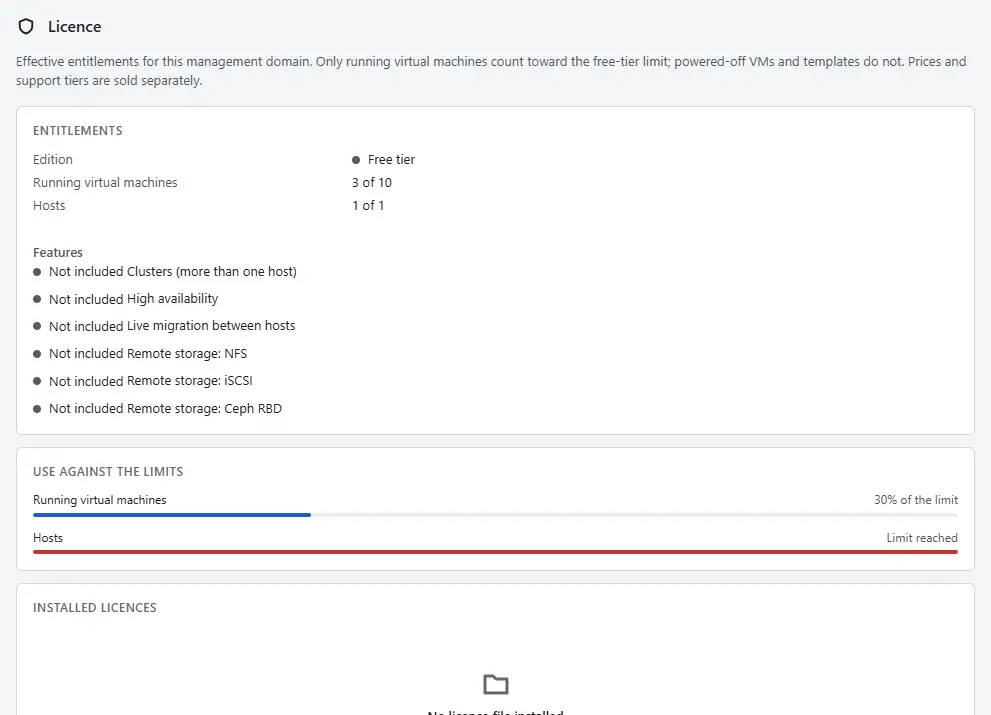
On the page Home, select Licence. The page shows Running virtual machines and Hosts as current of limit, and the card Use against the limits shows the use against each limit.


When a host is full
- Read the message of the refusal:
error.host.insufficient_memorynames the memory the virtual machine needs and the memory that is free on the host. - Power off virtual machines that are not needed with Power off, or give the virtual machine less memory with Edit settings.
- Move a virtual machine to a host with free memory with Migrate. A live migration needs the licence feature
live_migration; see Relocate a virtual machine. - Add a host to the cluster with Add host: Hosts.
Raise the overcommit ratio only when the virtual machines do not use their memory at the same time. Kyvernon VMM does not support balloon targets, so the host cannot take memory back from a running guest.
Limits that refuse a request
These limits are set by the operator in the controller configuration; the console does not offer them yet. A change takes effect when the controller restarts. The settings are described in Configuration.
| Limit | Refusal |
|---|---|
| vCPUs of one virtual machine: at most the logical CPUs of its host. The operator may set a lower maximum | error.vm.exceeds_host_cpu |
| Memory of one virtual machine: at most the memory of its host minus a reserve, 2,048 MiB by default | error.vm.exceeds_host_memory |
| Memory of the running virtual machines of a host: at most its memory after the reserve times the overcommit ratio, 1.0 by default, which means no overcommit | error.host.insufficient_memory at power-on |
| Size of a thin disk: at most the capacity of its datastore. The operator may set a lower maximum. A thick disk must fit in the free space | the request fails with the size and the limit |
| Running virtual machines and hosts | the installed licence: error.licence.limit_running_vms, error.licence.limit_hosts |
| Tasks that wait to start: 1,024 by default | RESOURCE_EXHAUSTED; the caller tries again |
Automation
With the CLI
kyvernon inventory host host-3
kyvernon inventory datastore datastore-3
kyvernon licence show
The record of a host has the hardware the agent reported (sockets, logical CPUs, memory) and the current use (CPU in MHz, memory in bytes). licence show prints the licence limits and the live counters. To move a virtual machine to another host:
kyvernon vm relocate <id> --host <host>With the API
GET /v1/inventory/hosts/{id}, GET /v1/inventory/datastores/{id} and GET /v1/licence. The performance history of hosts and virtual machines is in the metrics API. A change of the limits in the controller configuration can be checked before the restart with kyvernon-controller --config <file> check-config on the controller machine.
Related
- Licence for the limits of the free tier.
- Host errors for causes and remedies.
Version 0.1. Last changed: 2026-11-14